

Documentation Index
Fetch the complete documentation index at: https://docs.coreflux.org/llms.txt
Use this file to discover all available pages before exploring further.
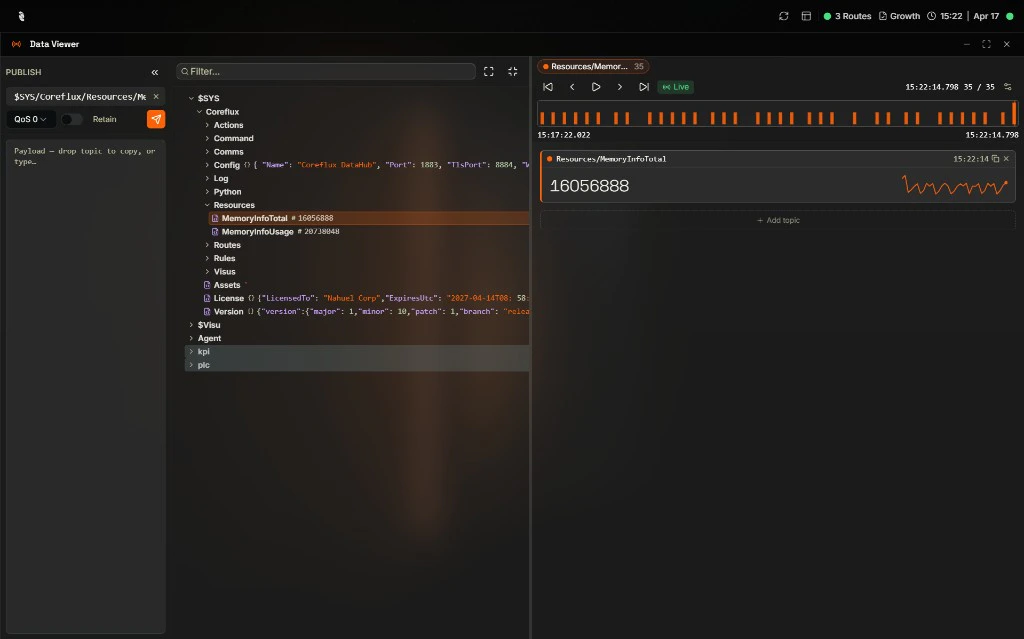
Your MQTT Dashboard
Welcome to your built-in MQTT toolbox. From here you can browse every topic on your broker, publish test messages, and check which clients are online — all without leaving the Coreflux HUB. Two widgets are ready for you: Data Viewer for topics and messages, and Connected Clients for monitoring connections.Pick the Right Widget
| Widget | You want to… |
|---|---|
| Data Viewer | Browse topics, inspect payloads, or publish test messages |
| Connected Clients | See who’s connected and check connection health |
Next Steps
Data Viewer
Subscribe to topics, browse the topic tree, and publish messages.
Connected Clients
View active MQTT client connections and their status.