

Documentation Index
Fetch the complete documentation index at: https://docs.coreflux.org/llms.txt
Use this file to discover all available pages before exploring further.
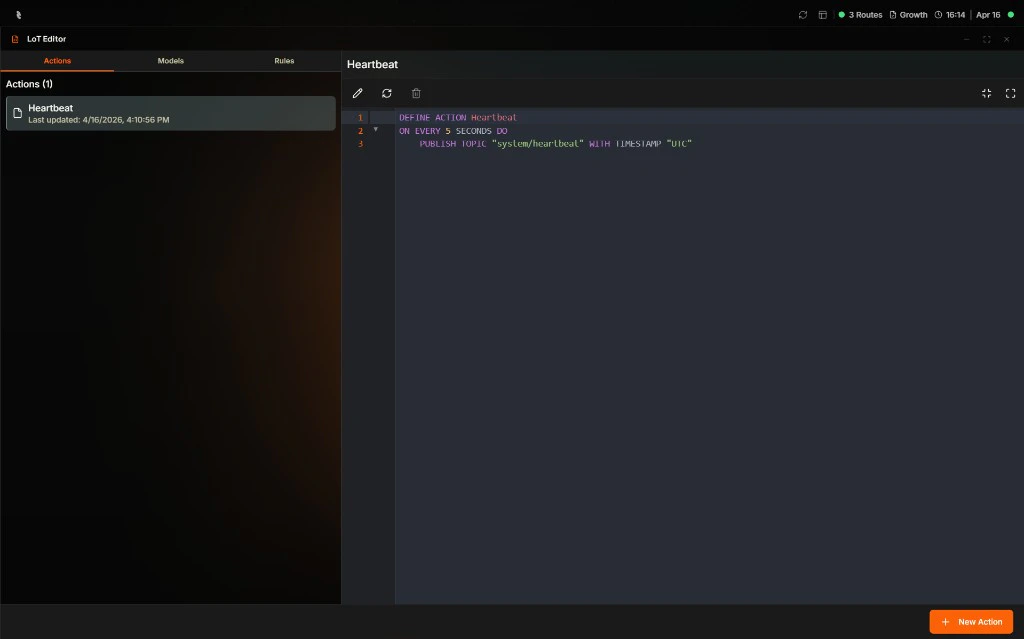
Why Use the LoT Editor?
You need to deploy LoT (Language of Things) definitions quickly—Actions, Models, and Rules—without opening VS Code or publishing to MQTT command topics. The LoT Editor in the Coreflux HUB lets you create, edit, and delete Actions, Models, and Rules directly in the browser.The LoT Editor manipulates Actions, Models, and Rules only. Routes are managed in the Routes section. LoT Notebooks are edited in VS Code.
When to Use It
- Quick deployments — Deploy an Action or Model in seconds from the browser
- Docker-only setups — When you run Coreflux without VS Code
- Rapid iteration — Edit and save changes without switching tools
LoT Editor Tabs
The LoT Editor is organized by entity type:| Tab | What You Manage |
|---|---|
| Actions | LoT Actions that react to topics or timers |
| Models | LoT Models for data structure and transformation |
| Rules | LoT Rules for access control and permissions |
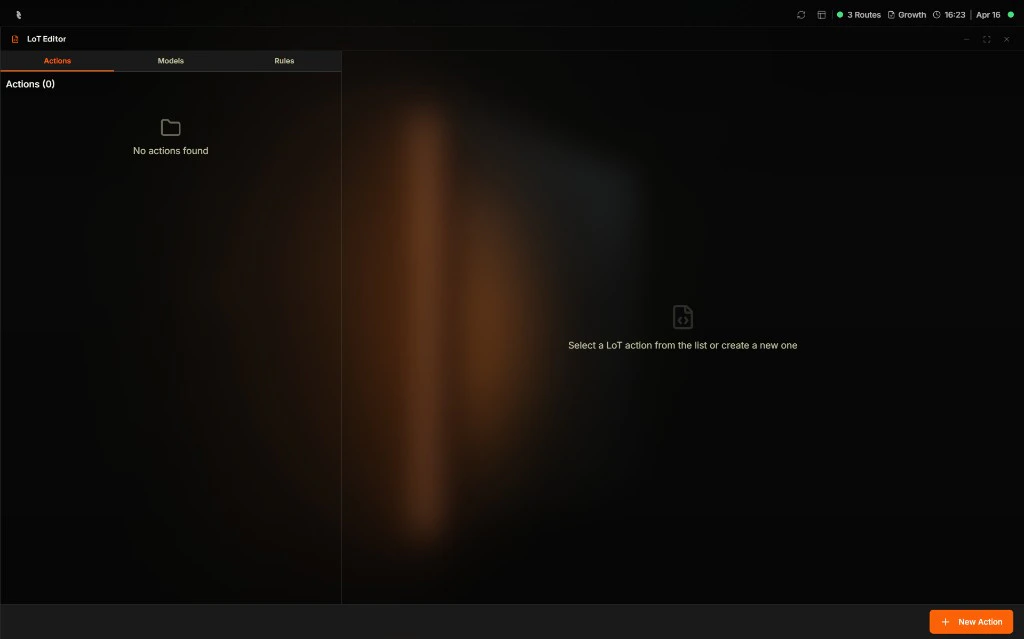
Creating an Action
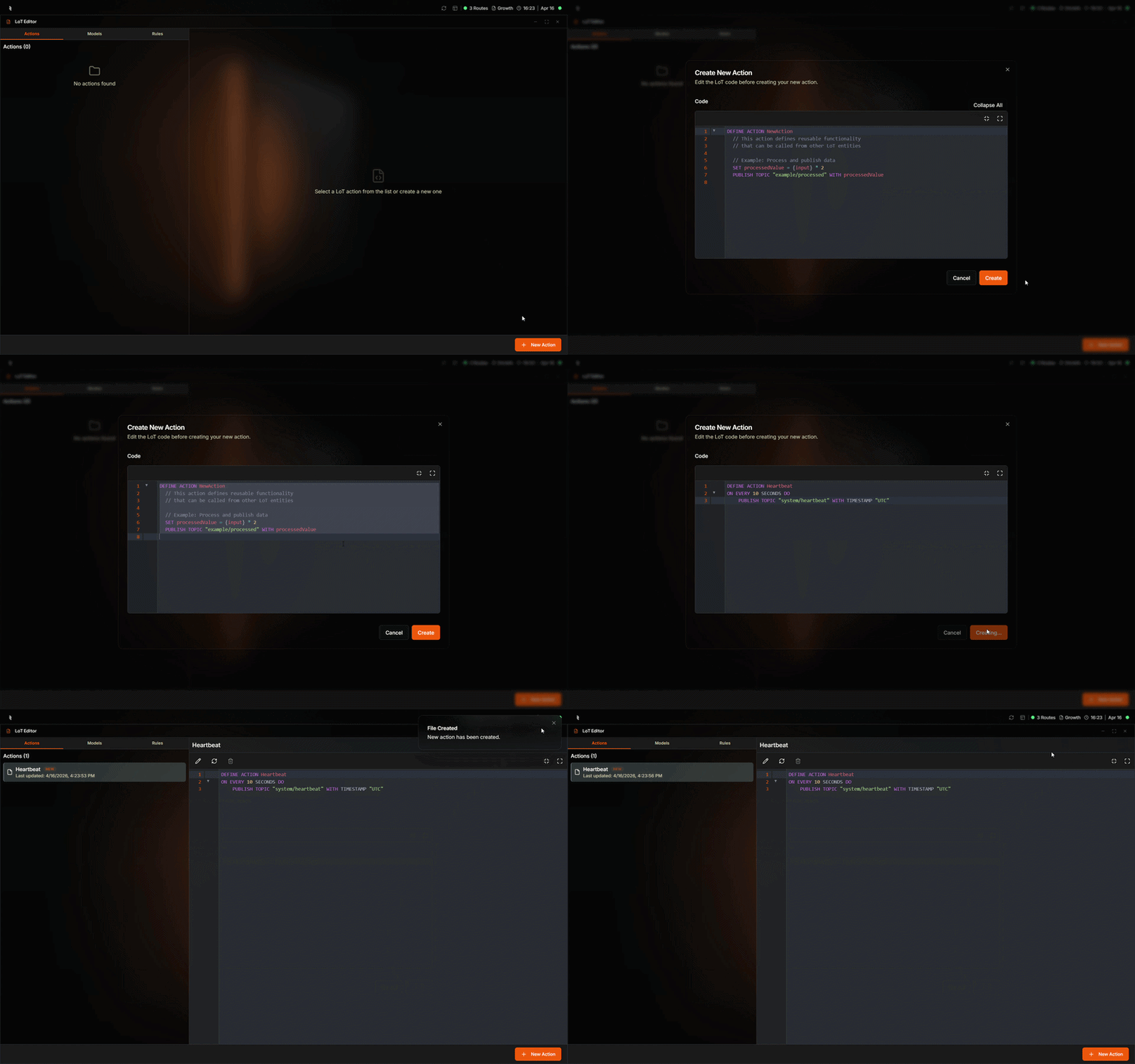
- In the top navigation, select LoT, then LoT Editor.
- Open the Actions tab and click + New Action.
- Create your Action in the editor. The HUB deploys it to the broker automatically.
- Confirm creation. The action appears in the list and runs on the broker immediately.
Creating Models and Rules
Use the Models and Rules tabs to create and edit those entities in the same way. Each tab provides a code editor where you paste or type LoT definitions.Editing and Deleting
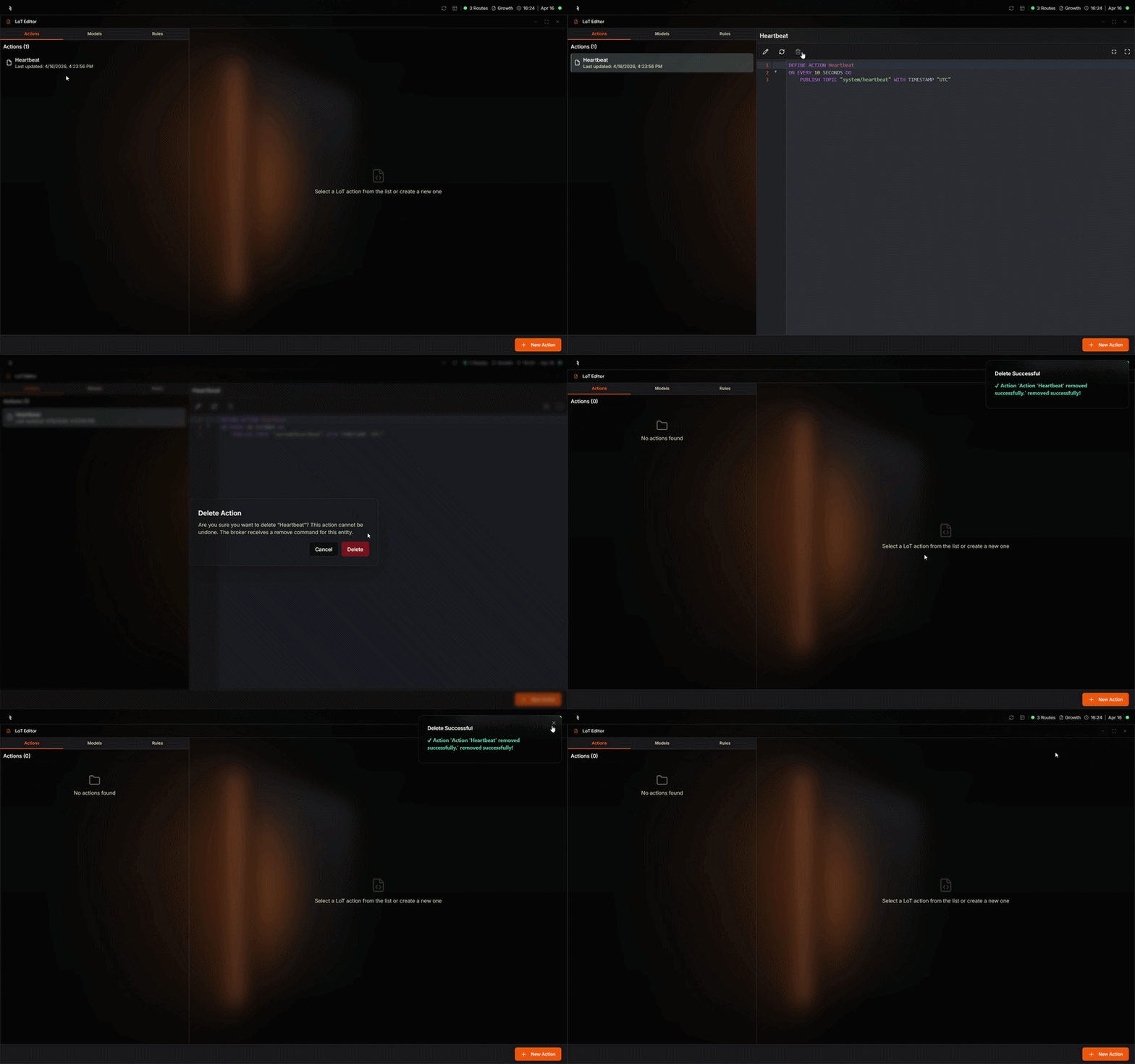
- Edit: Select an Action, Model, or Rule from the list and modify its code in the editor. Save to apply changes.
- Delete: Use the delete control for the entity. Confirm the deletion to remove it from the broker.
Next Steps
Routes
Add and configure Routes in the HUB.
LoT Actions Syntax
Learn LoT Action syntax and triggers.