

Documentation Index
Fetch the complete documentation index at: https://docs.coreflux.org/llms.txt
Use this file to discover all available pages before exploring further.

Why Use the Coreflux HUB?
You need a single place to manage your broker without installing extra tools or connecting via the command line. The Coreflux HUB gives you a browser-based interface to explore topics, create and edit LoT (Language of Things) definitions, configure routes, and monitor system status—all from one dashboard.The Coreflux HUB is available exclusively with Docker installations. Make sure your deployment exposes ports
8080 (HTTP) or 8443 (HTTPS).When to Use the HUB
- Manage everything from the browser — Configure your broker, deploy logic, and set up data routes without installing desktop tools
- Go from idea to deployment in minutes — Write and deploy Actions, Models, and Rules directly in the built-in editor
- Monitor your system in real time — See device connections, data flow, and system health at a glance
- Diagnose issues fast — Inspect live MQTT messages and run broker commands from one interface
Prerequisites
The HUB is available when you run Coreflux via Docker and expose the HUB ports:| Port | Protocol | Description |
|---|---|---|
8080 | HTTP | HUB (unencrypted) |
8443 | HTTPS | HUB (TLS) |
If these ports are not specified, the broker runs normally but without the HUB. See Installation for Docker setup.
Accessing the HUB
Open your browser and navigate to:- Local:
http://localhost:8080 - Remote:
http://<broker-ip>:8080
8443 instead.
How the HUB Is Organized
The HUB is built around five apps. Each app groups related tools so you can switch between tasks without leaving the browser.MQTT
Explore topics, publish messages, and view connected clients.
LoT Editor
Create and edit Actions, Models, and Rules in the browser.
Dashboards
Build live panels with gauges, charts, and controls bound to broker data.
Routes
Add, configure, and monitor routes with templates or LoT code.
System
Broker configuration, user management, trace logs, and command console.
MQTT
Browse live data flowing through your broker. The MQTT app includes a Data Viewer for subscribing to topics and publishing test messages, and a Connected Clients view to see which devices are online.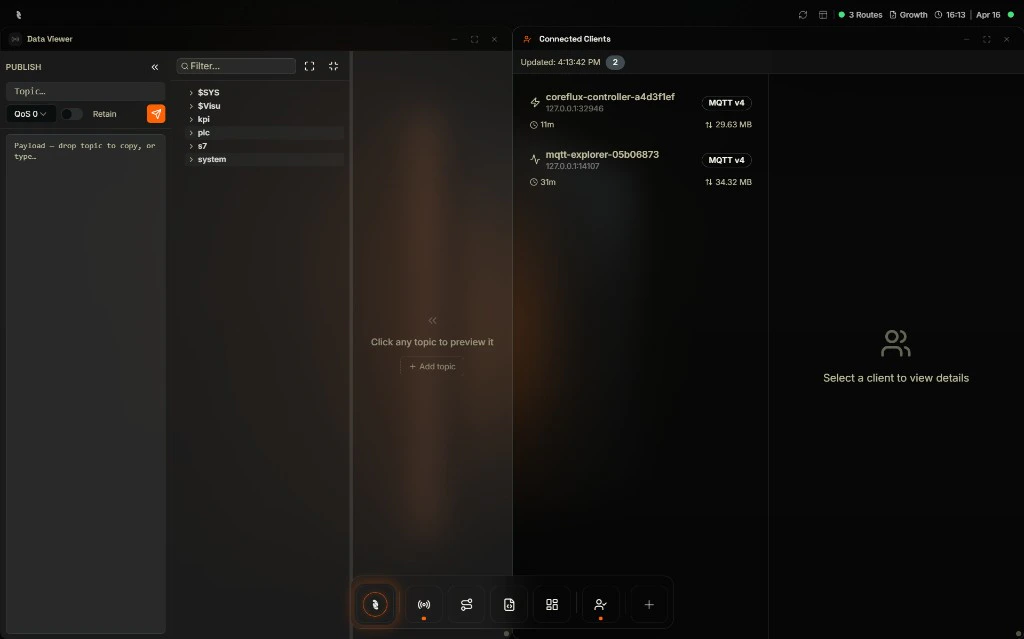
LoT Editor
Write and deploy logic directly in the browser. The LoT Editor provides tabs for Actions, Models, and Rules, each with a code editor — no external tools required.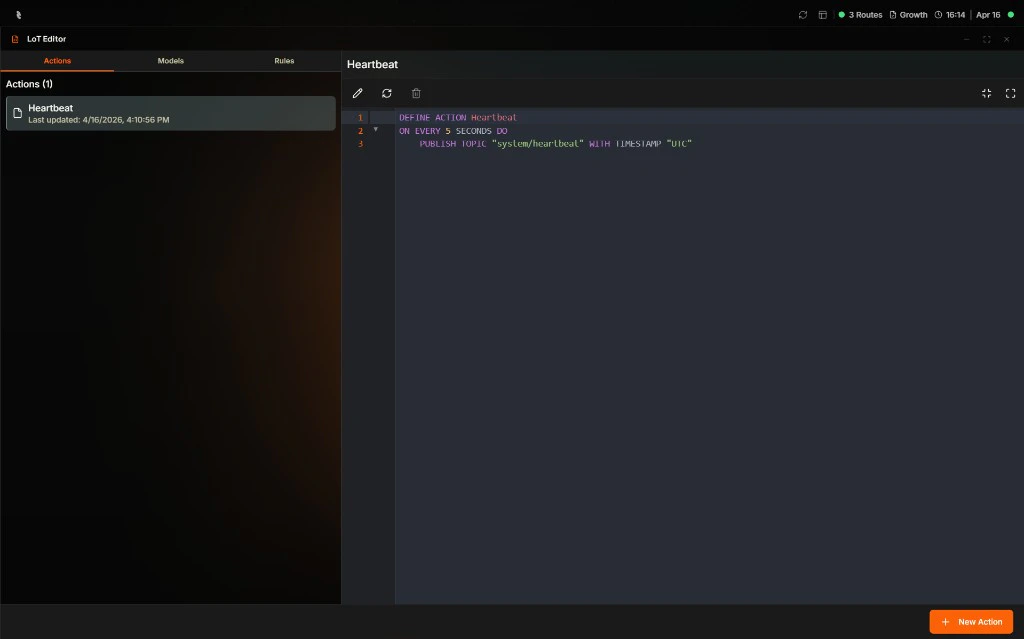
Dashboards
Design operator-facing screens from a component library—gauges, charts, industrial symbols, and controls—and bind each widget to live data on your broker. The Dashboard Manager lists your panels; open one to preview or use it full screen for walls and shared links.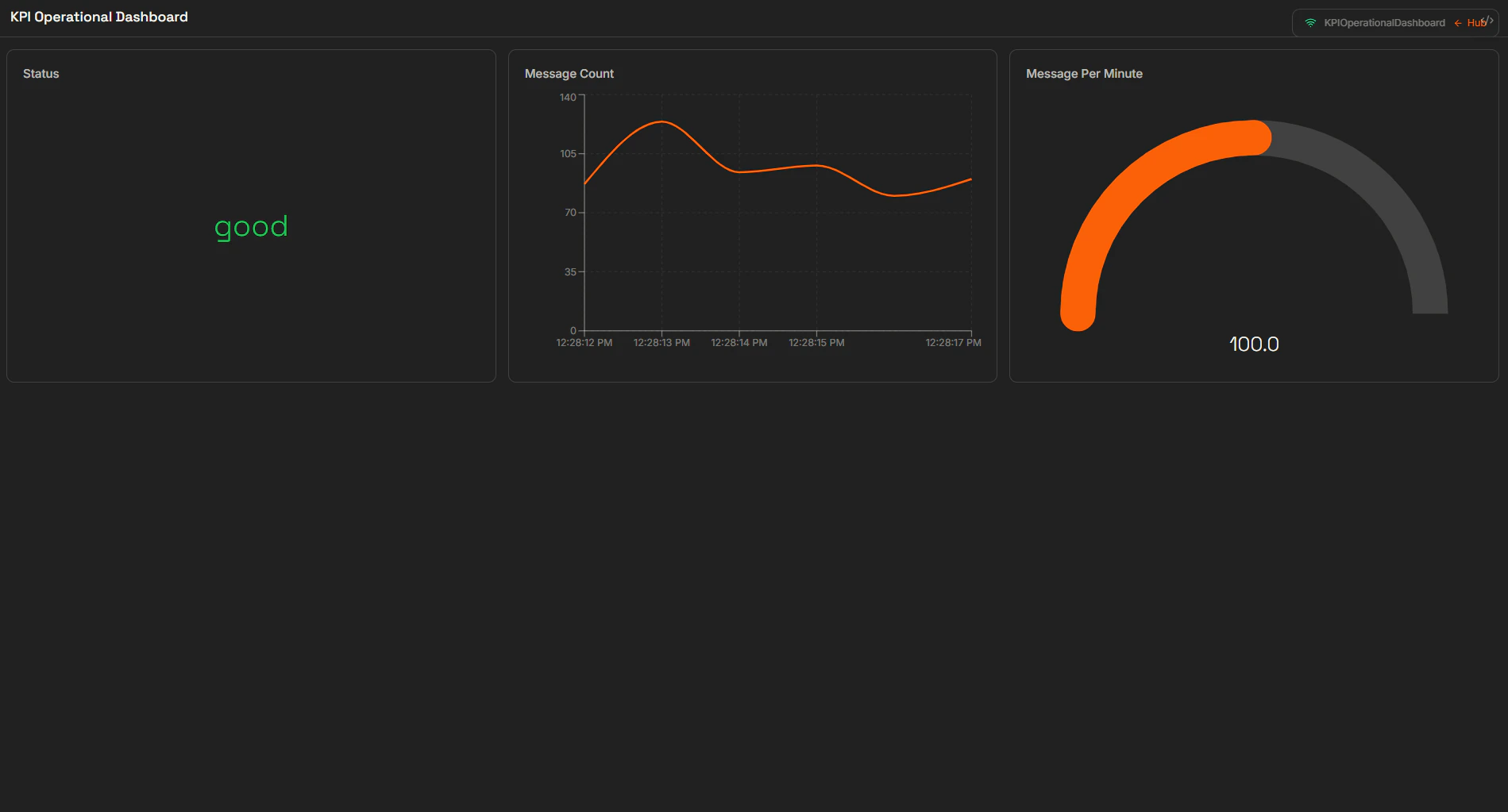
Routes
Connect your broker to databases, PLCs, and external systems. The Routes app shows each route as a card with a live status indicator, and lets you configure routes visually or in LoT code.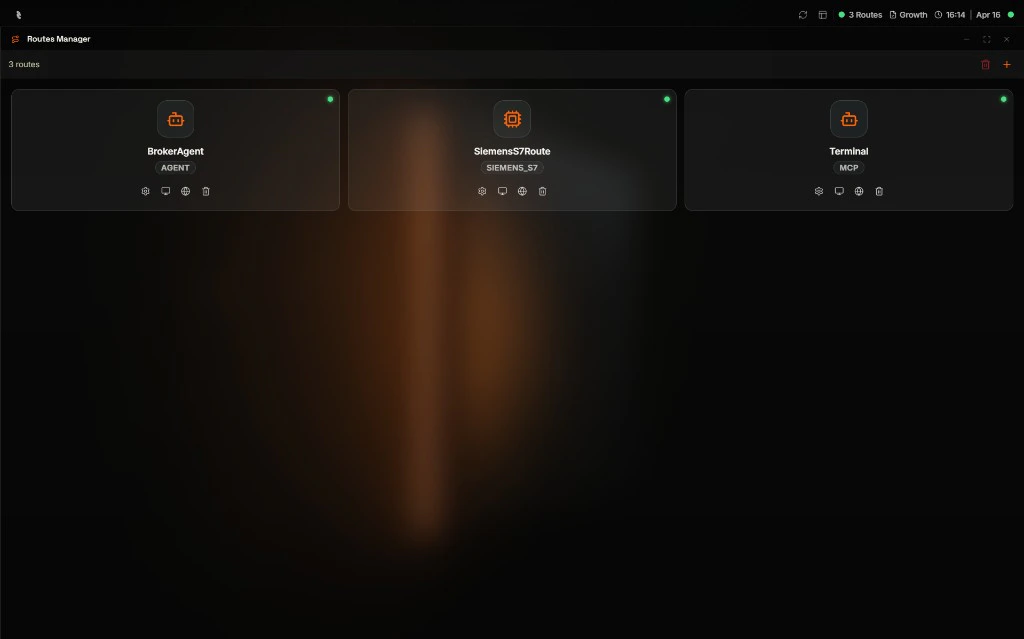
System
Administer the broker itself. The System app provides Broker Configuration, User Management, a Command Console for direct broker commands, and Broker Logs for real-time diagnostics.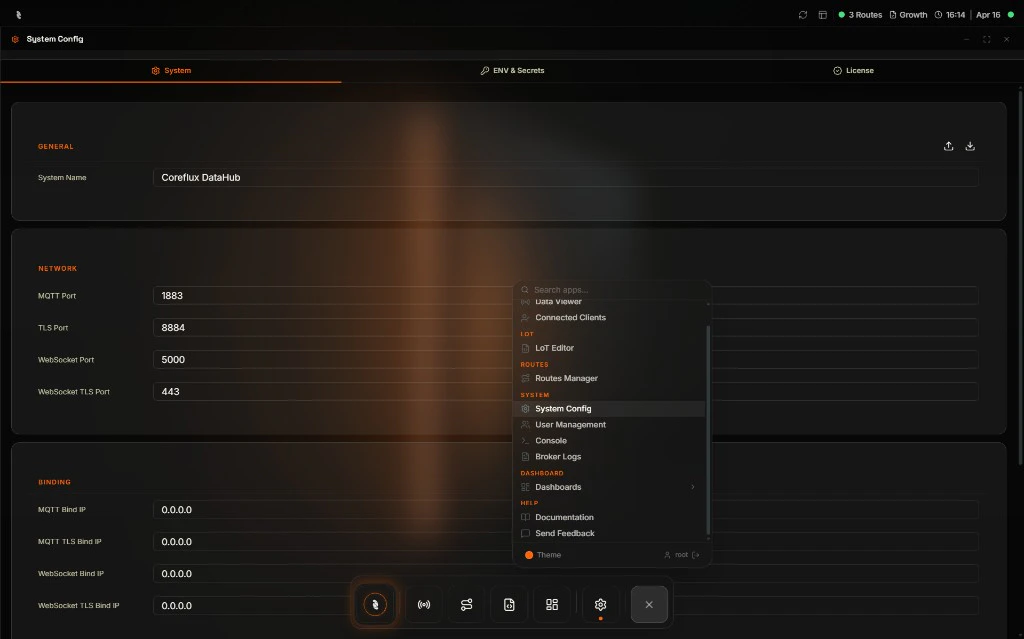
Next Steps
Data Viewer
Subscribe to topics and publish messages from the browser.
LoT Editor
Deploy your first Action without VS Code.