


Coreflux HUB overview — start here
Manage Your Broker from the HUB
You have a Coreflux broker running. Now you want to explore MQTT topics, deploy LoT code, configure routes, and manage users — all without installing desktop tools or memorizing command-line syntax. The Coreflux HUB gives you a desktop or browser interface that puts every management task in one place.When to Use This
- You want to manage your broker visually without installing MQTT Explorer or VS Code
- You need to deploy and test LoT code quickly from any machine
- You’re configuring routes to databases or PLCs and want a guided, visual workflow
- You want to monitor connected clients and system health in real time
Access the HUB
- Docker
- Standalone Desktop App
Open your browser and navigate to:
Log in with the default credentials:
What Can You Do with Coreflux HUB?
Once you’re logged in, the HUB gives you four dedicated apps that together cover every broker management task — from inspecting live data to deploying logic and connecting external systems.MQTT
Browse live topics, inspect payloads, publish test messages, and see which clients are connected.
LoT Editor
Create, edit, and deploy Actions, Models, and Rules directly in the browser — no external tools needed.
Routes
Connect your broker to databases, PLCs, and external systems using templates or LoT code, then monitor each connection in real time.
System
Configure the broker, manage users and permissions, run commands, and stream real-time logs for diagnostics.
The sections below walk you through each of these tasks hands-on.
See Your MQTT Data
Open the MQTT app to browse every topic flowing through your broker in real time. The topic tree on the left lets you drill into any hierarchy, and selecting a topic shows its latest payload, QoS, and timestamp on the right.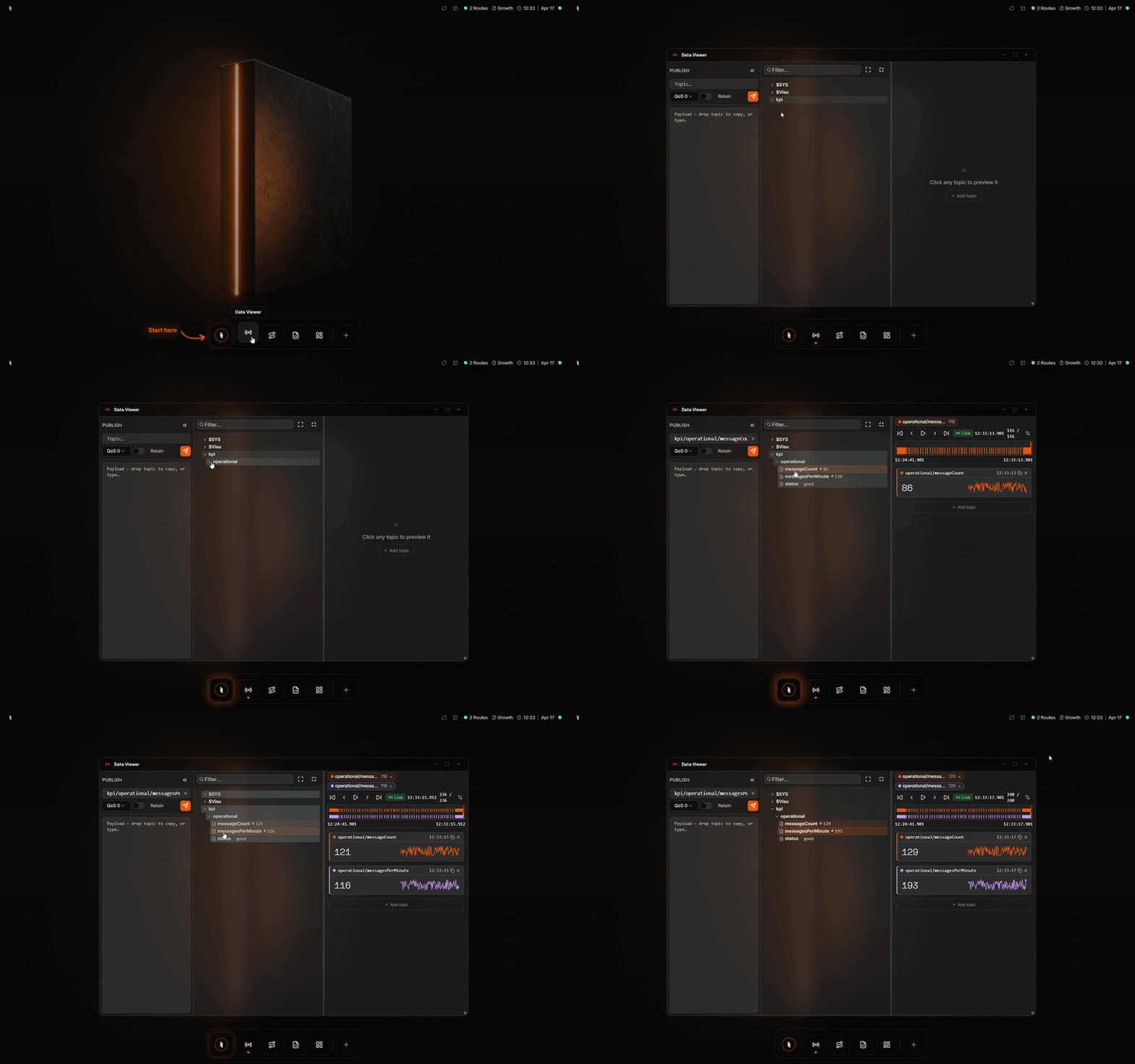
Data Viewer — browse live topics and inspect message payloads
Connect to an External Device with a Route
Open the Routes app to connect your broker to databases, PLCs, or other external systems. Pick a template, fill in the connection details, map MQTT topics to fields, and activate — the HUB handles the rest.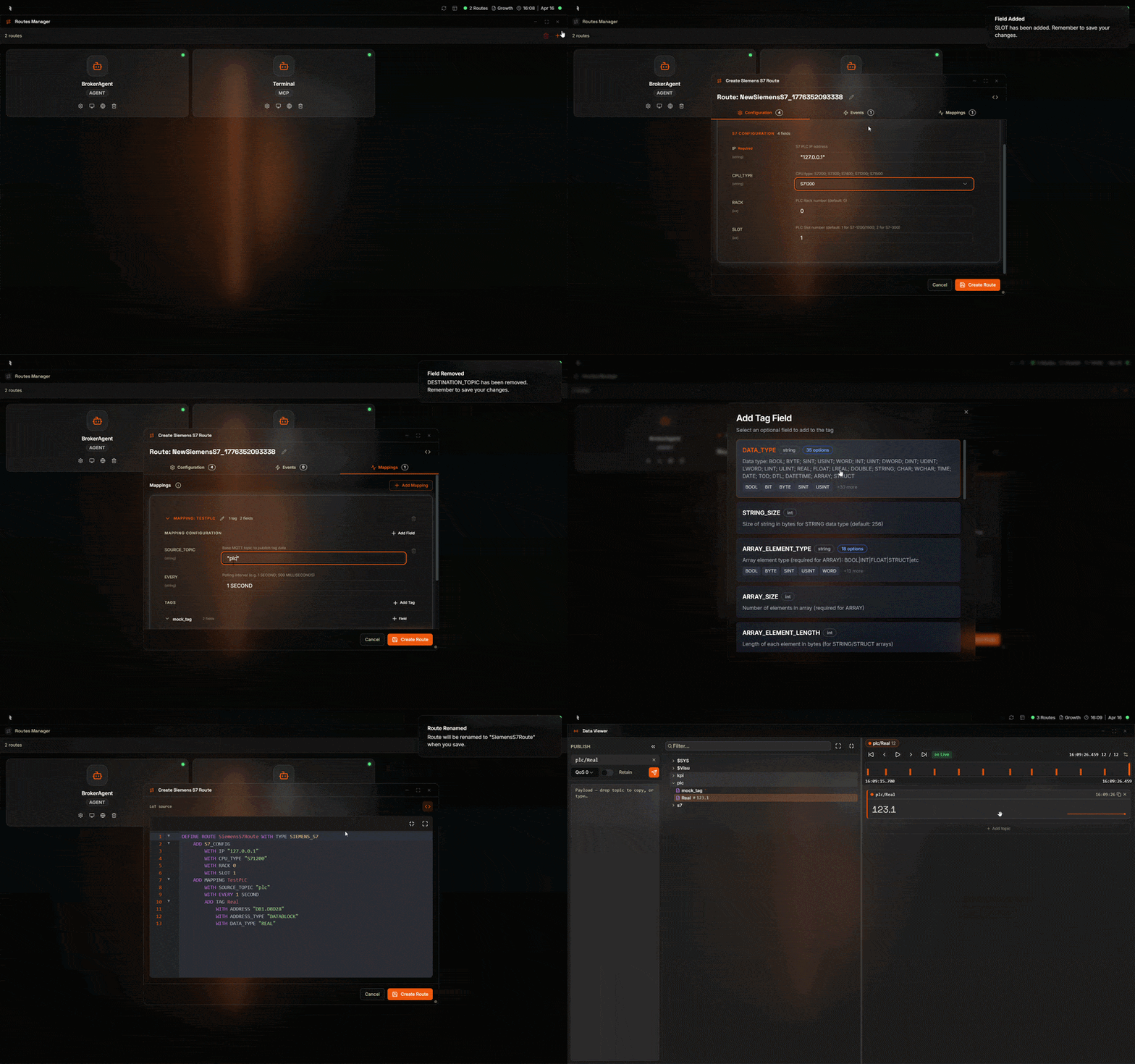
Routes — create a new route from a template and configure its connection
Quickly Change the LoT Running on the Broker
Open the LoT Editor to create, edit, or redeploy Actions, Models, and Rules directly in the browser. Changes take effect immediately — no build step, no file transfer, no restart.
LoT Editor — edit an Action and deploy it to the broker in one click
Build With the AI Assistant
Open the AI Assistant from the Coreflux icon in the bottom dock and describe what you want in plain language — ask for insights from live data, build a dashboard with live widgets, or develop a LoT Action. The assistant uses the broker’s own tools to draft, refine, and deploy the change in the same panel.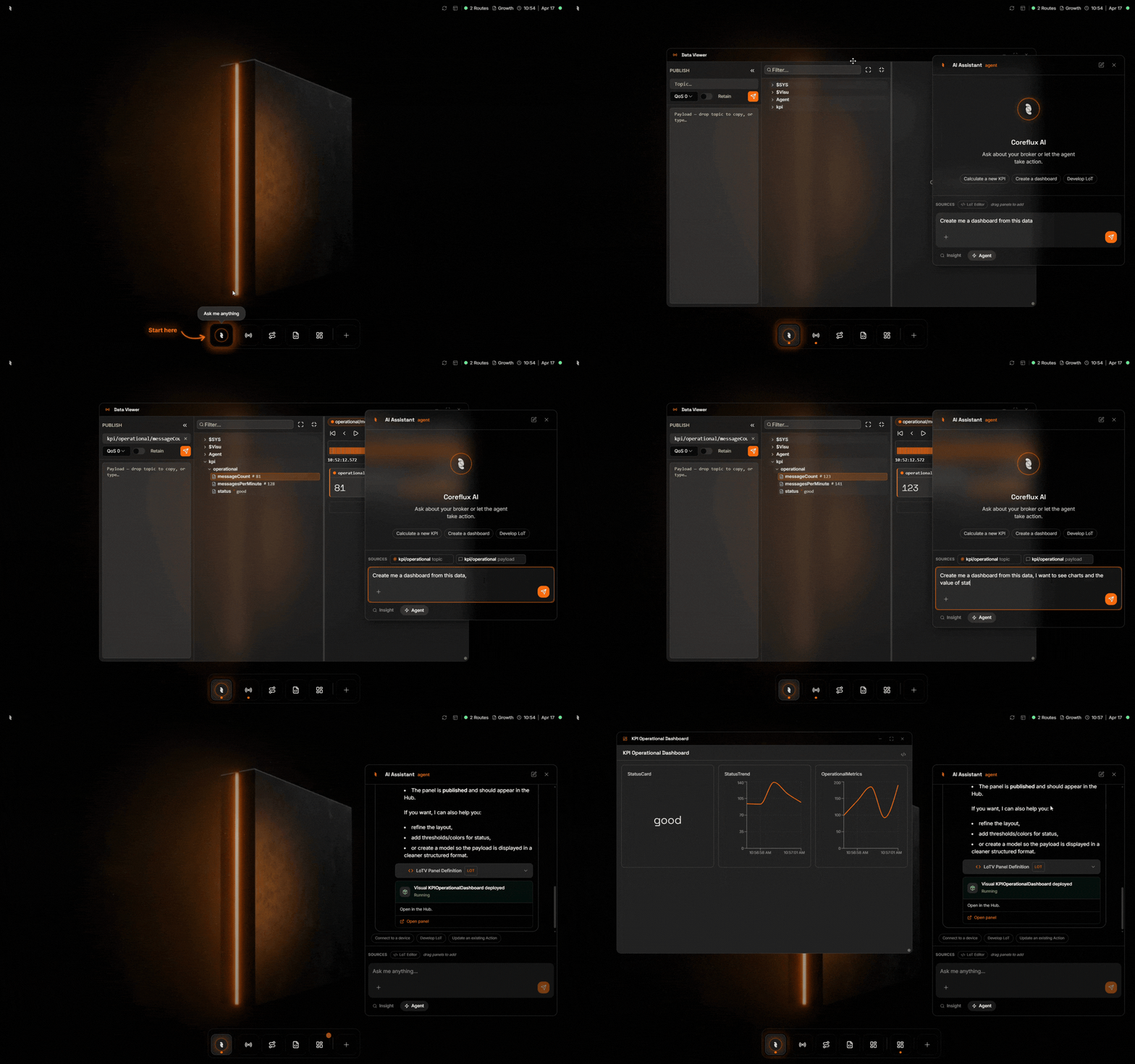
AI Assistant — describe a goal in plain language and the assistant drafts and deploys it on your broker
Debug Your LoT and Broker
Open the System app when something isn’t behaving as expected. Broker Logs stream trace-level output in real time, and the Command Console lets you run broker commands directly — restart actions, inspect state, or change configuration on the fly.
System — real-time broker logs and the command console for direct broker interaction
Next Steps
Explore the HUB
Deep-dive into each app — Data Viewer, LoT Editor, Routes, and System tools.
Create Your First Action
Build and deploy a working LoT Action in under 15 minutes.