

Install Coreflux
Most people should use Docker or Docker Compose for the broker and the Coreflux HUB. Just evaluating with nothing to install? Use the Cloud Trial tab. The HUB desktop tab is the standalone app. Native broker binaries and cloud droplets are in the remaining tabs.Default login credentials
Default login credentials
- Docker
- Docker Compose
- HUB desktop
- Cloud Trial
- DigitalOcean
- Windows
- Linux
docker --version before you continue. Images are on Docker Hub.- Broker only
- HUB only
- Broker + HUB
localhost:1883. There is no HUB in this command — use HUB only or Broker + HUB, or the standalone HUB app.localhost does not reach a broker container.That’s it—Coreflux is now running locally. Confirm it works under Verify Installation below.What does the broker command do?
What does the broker command do?
docker run down piece by piece:--pull=always— always fetch the latest image before starting, so you never run a stale version.-d— runs the container detached (in the background), so your terminal stays free.--name coreflux_broker— names the container so you can reference it later (for exampledocker logs coreflux_broker).-p 1883:1883 -p 5000:5000 -p 9100:9100— each-p host:containermaps a port on your machine to the same port inside the container. See the port table above for what each one is for.-v project-volume:/etc/project— mounts a named volume so your project (LoT, routes, configuration) persists across restarts and image updates.coreflux/coreflux-mqtt-broker:latest— the broker image, pulled from Docker Hub. The HUB image iscoreflux/coreflux-hub:latest.
TLS/SSL Ports (when using certificates)
TLS/SSL Ports (when using certificates)
8883 and 5443):
Verify Installation
The quickest visual check is the Coreflux HUB in your browser. You can also confirm directly by connecting an MQTT client and seeing Coreflux’s system topics—that’s how the broker is actually used. Use the default credentials from the top of the page (or your trial email).- Coreflux HUB
- MQTT Client
Open the HUB
http://localhost:3000. For the HUB desktop app, the window opens on its own.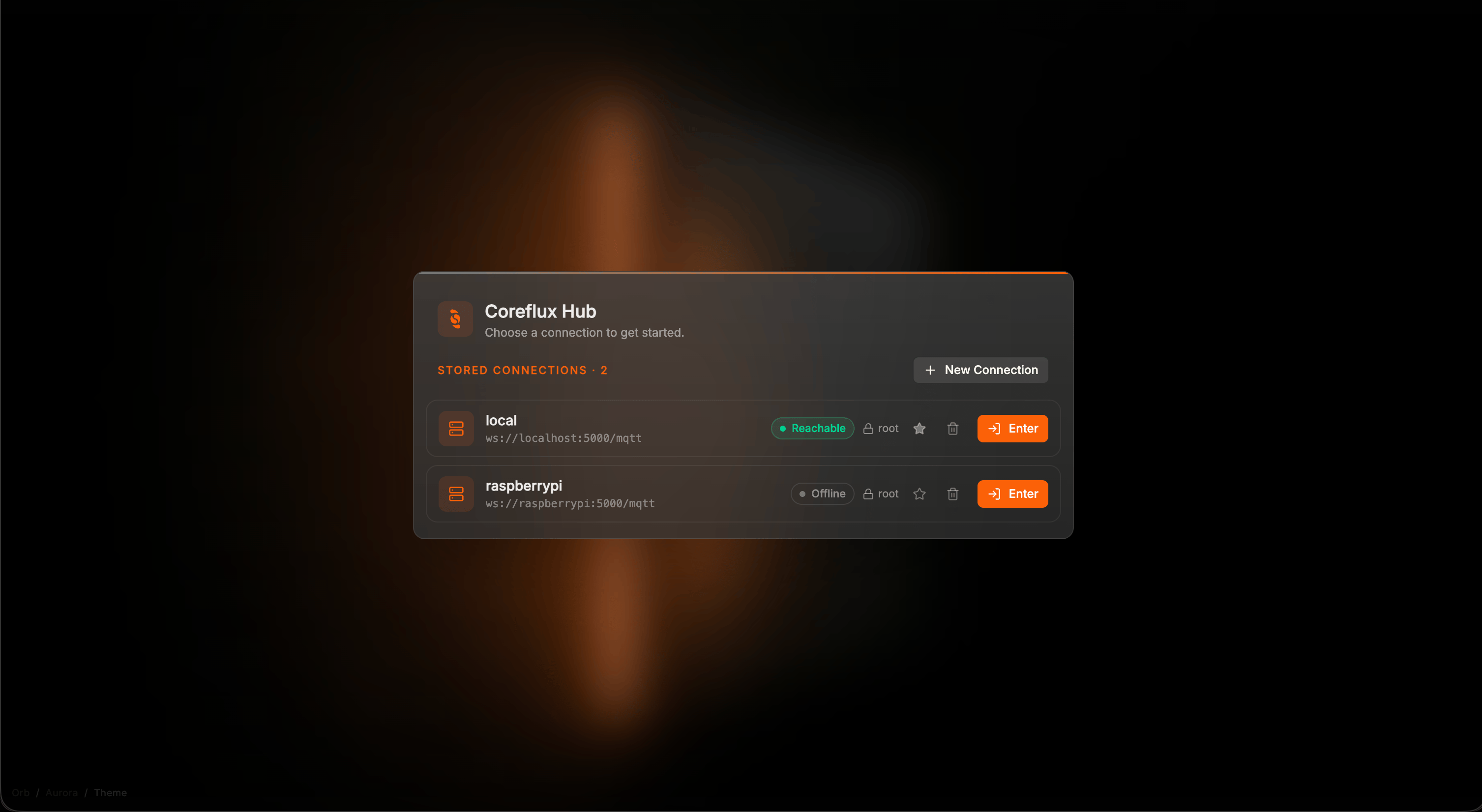
Coreflux HUB — choose a stored connection or click New Connection
Choose or create a connection
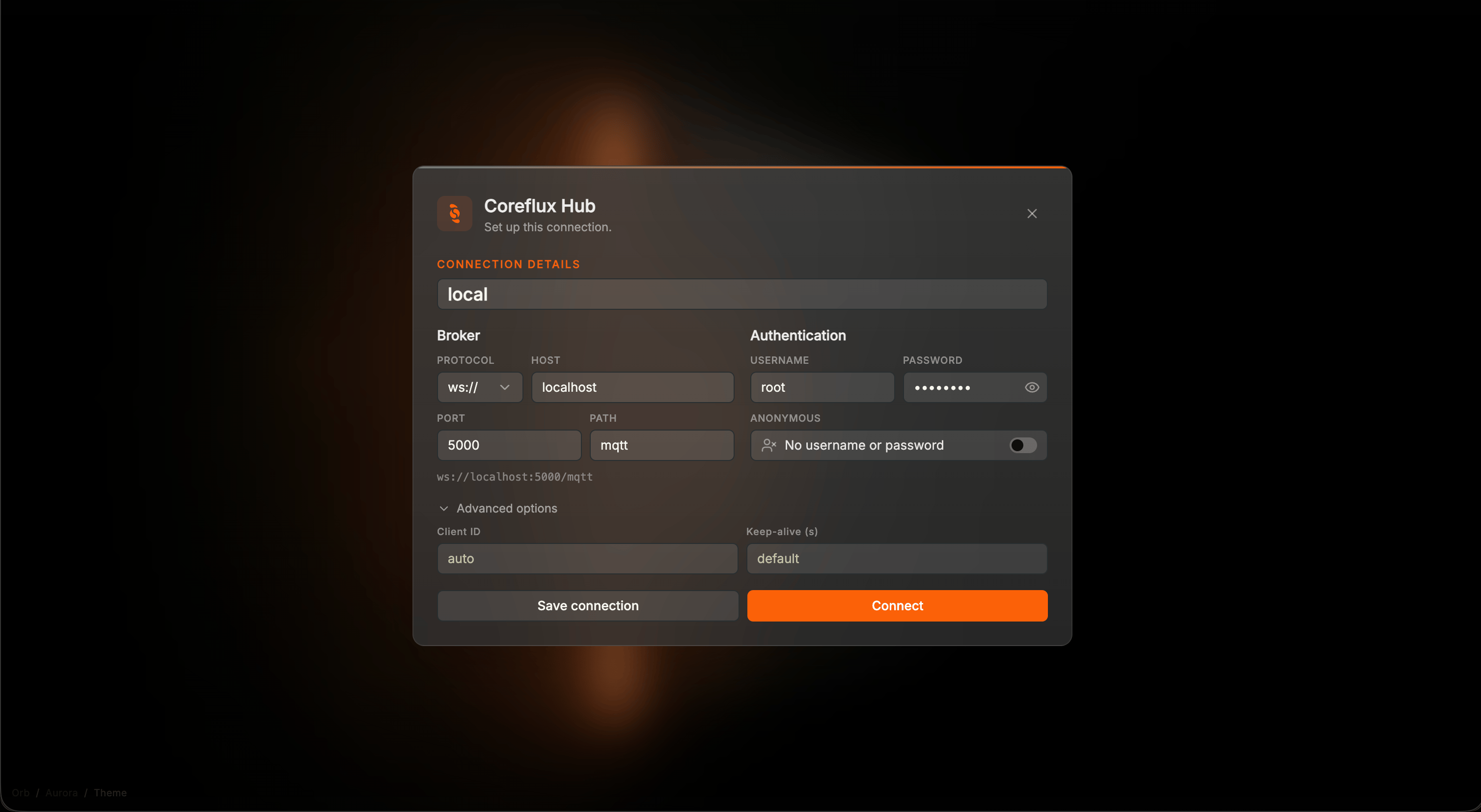
New Connection — name the broker, set protocol, host, and port, then Connect
Confirm the dashboard loaded
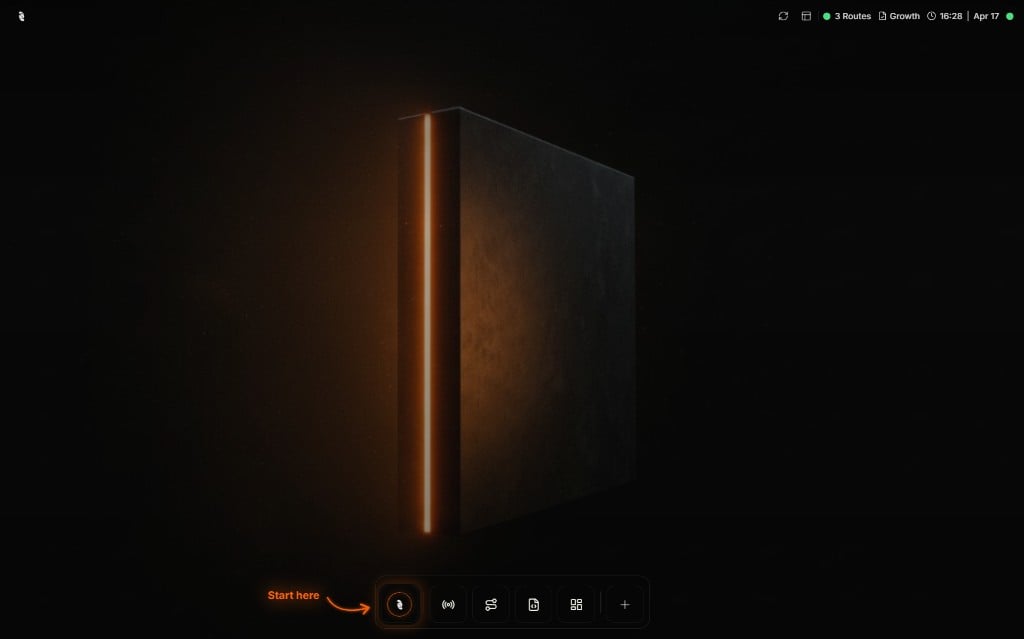
Coreflux HUB after login — start from the first icon in the navigation bar
Browse MQTT data
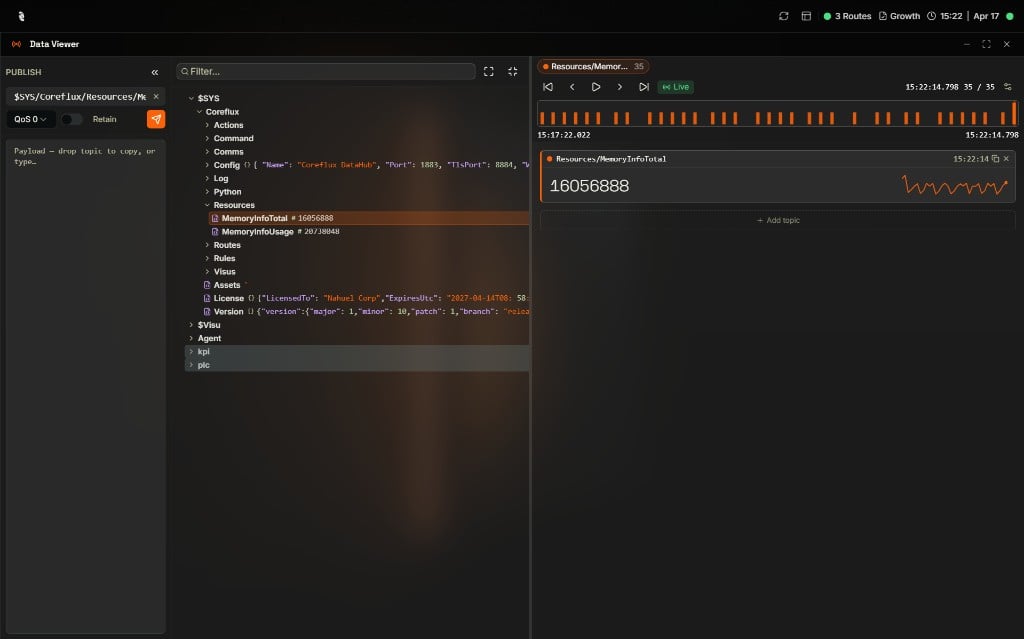
Data Viewer — Topic Tree, Publish panel, and live topic values
If verification fails
Pick the symptom that matches your setup:All Versions — Broker isn't running or won't accept connections
All Versions — Broker isn't running or won't accept connections
docker compose ps and docker compose logs -f from the directory that contains docker-compose.yml. The broker container is named coreflux-broker.For a service install, check the service status: sudo systemctl status coreflux-broker (Linux package install), sudo systemctl status coreflux (DigitalOcean droplet), or sc query CorefluxBroker (Windows).All Versions — localhost doesn't load the HUB
All Versions — localhost doesn't load the HUB
localhost.Docker Only — Docker daemon not running
Docker Only — Docker daemon not running
Docker Only — Port already in use
Docker Only — Port already in use
3000 or 1883 is already allocated.Fix: stop the process using that port, or remap the host side of the port (for example -p 1884:1883 on Docker, or change the left-hand port in docker-compose.yml).Docker Only — Container exits immediately
Docker Only — Container exits immediately
docker ps shows nothing after you start the broker.Fix: run docker logs coreflux_broker to see why it exited. For Compose, run docker compose logs broker from the directory that contains docker-compose.yml.Docker Compose — HUB cannot reach the broker
Docker Compose — HUB cannot reach the broker
http://localhost:3000 fails to connect when Host is localhost, or shows Broker isn’t reachable.Fix: the HUB proxies MQTT from inside Docker. On New Connection, set Host to broker, Protocol mqtt://, Port 1883 (or Protocol ws://, Port 5000, Path mqtt).Cloud Only — Can't connect to your trial
Cloud Only — Can't connect to your trial