

v2.2.0
Three new routes, a new LoT Flow viewer, and a wave of HUB improvements.
Broker
- Kafka route — Connect Coreflux directly to Kafka as a producer or consumer, with support for security protocols and configurable batching and compression. See the Kafka Route guide.
- OPC UA Server route — Expose Coreflux data to OPC UA clients with a secure-by-default setup, including support for array and struct nodes. See the OPC UA Server Route guide.
- Modbus Server route — Serve Modbus data over TCP, with experimental support for Serial (RTU) connections. See the Modbus TCP Server Route guide.
- OT route persistence — Server routes (OPC UA Server, Modbus Server) persist their state and recover automatically after a restart, so data isn’t lost on reconnect. See OPC UA Server persistence and Modbus Server persistence.
- OPC UA client certificate authentication — Authenticate OPC UA client connections using PKI certificates for more secure deployments.
- Modbus one-based addressing — Set
WITH ONE_BASED_ADDRESSES trueon Modbus client and server routes so tag addresses match device manuals that label registers starting at 1. See Modbus addressing (client) and Address notation (server). - Publish payload as bytes — Forward or retain binary MQTT payloads bit-for-bit with
PAYLOAD AS BYTESonPUBLISH TOPICandKEEP TOPIC. See ACTION Operations. - EtherNet/IP route — Joined attribute reads (
ENABLE_JOIN_ATTRIBUTE), bit extraction (BIT_ADDRESS), ARRAY/STRUCT decoding from assembly buffers, bidirectionalWRITABLEtags, and legacy Hub Asset field mapping for migrations. See the EtherNet/IP Route guide. - Allen-Bradley route — Symbolic tag-name access via libplctag (
Program:MainProgram.Tagformat),AB/ALLENBRADLEYroute aliases,PATHvsSLOTrouting, family-specific STRING/TIME encoding, and cross-link to EtherNet/IP for explicit CIP paths. See the Allen-Bradley Route guide. - Bug fixes — Fixed BACnet alarm retention, EtherNet/IP connection parameters and legacy-style compatibility, a Modbus TCP word-order issue, an OPC UA client connection issue, and a licensing load-order.
HUB
- LoT Flow viewer — A new interactive view of your route flows, showing entity, topic, and Python nodes alongside live topic values, action traces, and route status.
- UNS viewer — Browse your Unified Namespace as a tree, with search, live payload previews, and a graph layout.
- Data Viewer overhaul — A refreshed explorer with a detailed topic view, timeline, faster topic indexing, and better subscription management.
- In-app release notes — A “What’s New” dialog in the HUB so you can see what’s changed without leaving the app.
- Refreshed HUB styling — Updated visual design and dock layout.
- AI chat improvements — A setup wizard, an artifact panel, and a generally expanded chat experience.
- Expanded dashboard panels — More display components, gauge options, and model-binding support for building richer dashboards.
- Bug fixes — Fixed the LoT compiler and dashboard rendering for
ON KEY PRESS,ON THRESHOLD BREACH, conditional handlers,WITH THEME, numeric decimals and suffixes, threshold zones on gauges/charts, and callable actions. FixedINVOKE ACTION,BIND TO MODEL, the accordion “Add Section,” and tab titles in dashboards. Fixed real-time charts to show both traces with a legend and to correctly distinguish bar vs. line modes. Fixed select/dropdown interactions, topic-to-widget data binding (previously showing a single point instead of the full array), slider and toggle controls publishing incorrect values, icon visibility, multi-panel layouts, and events not being recognized on mount. Fixed the AI agent to properly detect uninstalled routes, and corrected its confirmation prompts. General mobile layout improvements.
v2.1.0
BACnet support for building automation
- BACnet route — Connect Coreflux to building automation systems (HVAC, lighting, metering) and bridge them to MQTT
- Read live values and write setpoints to BACnet controllers
- Get instant updates on change, without constant polling
- Receive alarms and event notifications directly in MQTT
v2.0.3
Fixes - OT tags and route stability
- OT tag JSON publish — Message payload now includes the
unitfield - Modbus and EthernetIP routes — Stability improvements
v2.0.2
ON CHANGE trigger and bug fixes
ON CHANGEtrigger for LoT actions — Run actions only when the message payload on a topic is different from the last message on that same topic. Use it for high-frequency telemetry, historians, and forwarding when you do not need to process duplicate values;ON TOPICstill runs on every matching publish.- Bug fixes — Stability and correctness improvements across the broker, LoT, and HUB
v2.0
AI agents, HUB and VS Code extension Beta releases
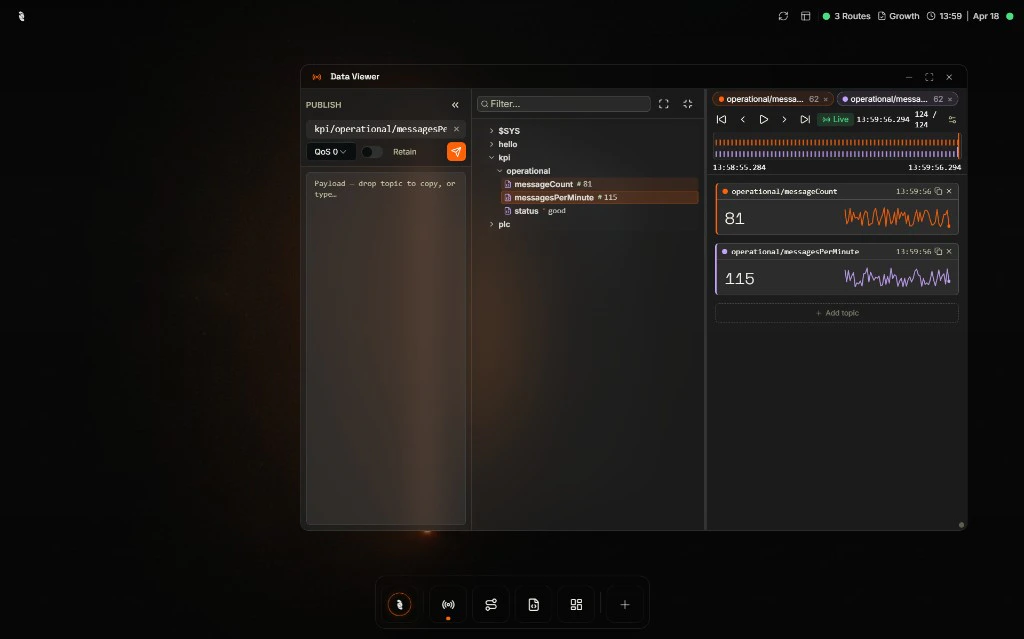
Coreflux HUB Data Viewer with live MQTT topic data and charts
- Improved HUB (beta) — UI and UX improvements
- HUB standalone installer — Windows and Linux
- AI Agent on HUB
- Insights mode — Ask questions about running data, using project information as context
- Agent mode — Build LoT, routes, and dashboards with an AI copilot
- AI Agent route — Create custom agents usable within LoT for AI-driven steps and logic
- Cloud and local LLMs — Support for both on AI features
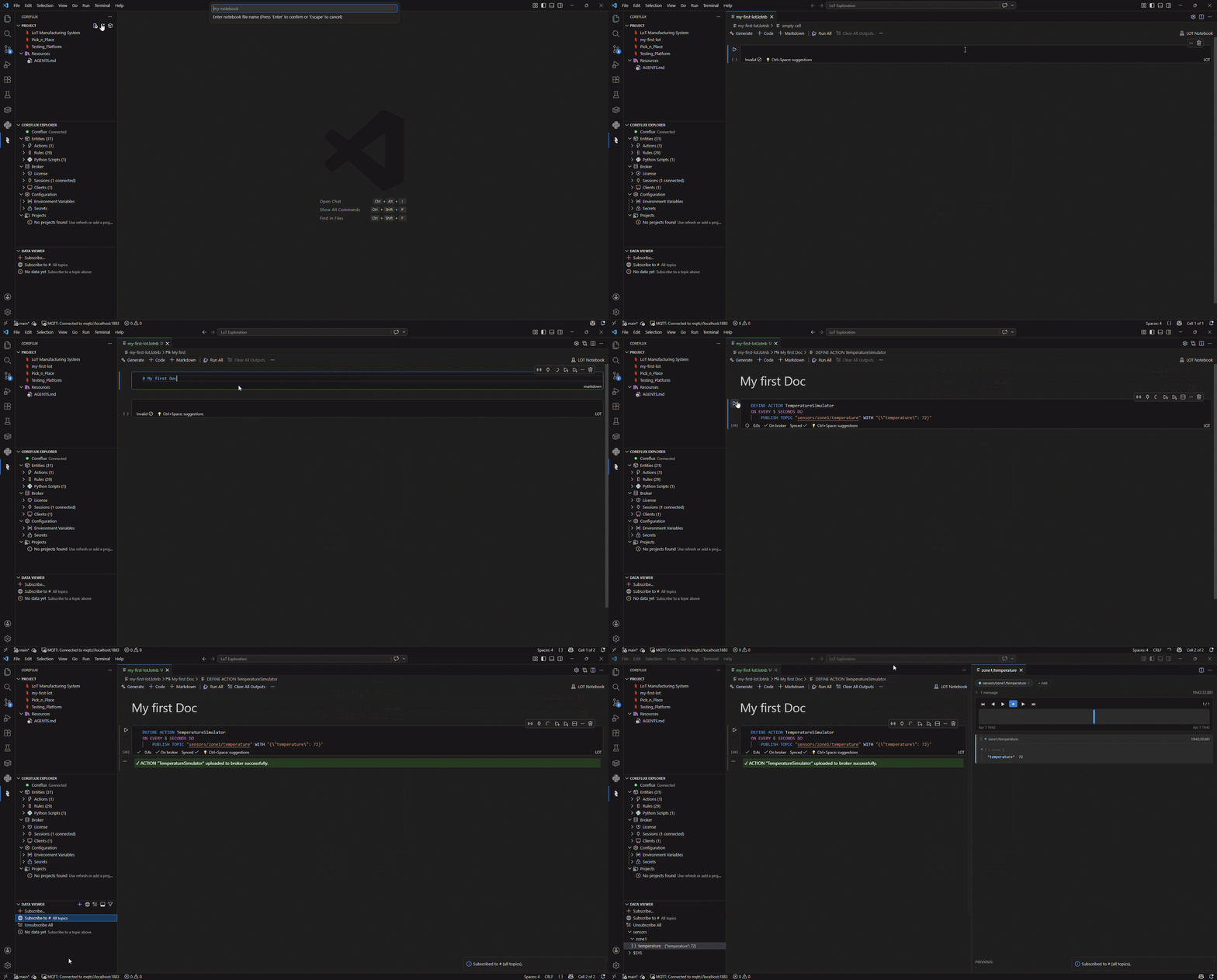
Create and deploy LoT from the Coreflux VS Code extension
- Improved VS Code extension (beta)
- Improved UI and UX
- See license usage
- See live MQTT data (topic tree)
- Data Viewer — View and replay historical and live data for MQTT topics, with viewers for raw, JSON, PDF, GeoJSON (map), audio, and more
- Execution trace — View and replay historical and live data from LoT execution, including success and error states, published topics, and internal variables
- Manage secrets and environment variables
v1.10.0
HUB Alpha release, LoT, and broker updates
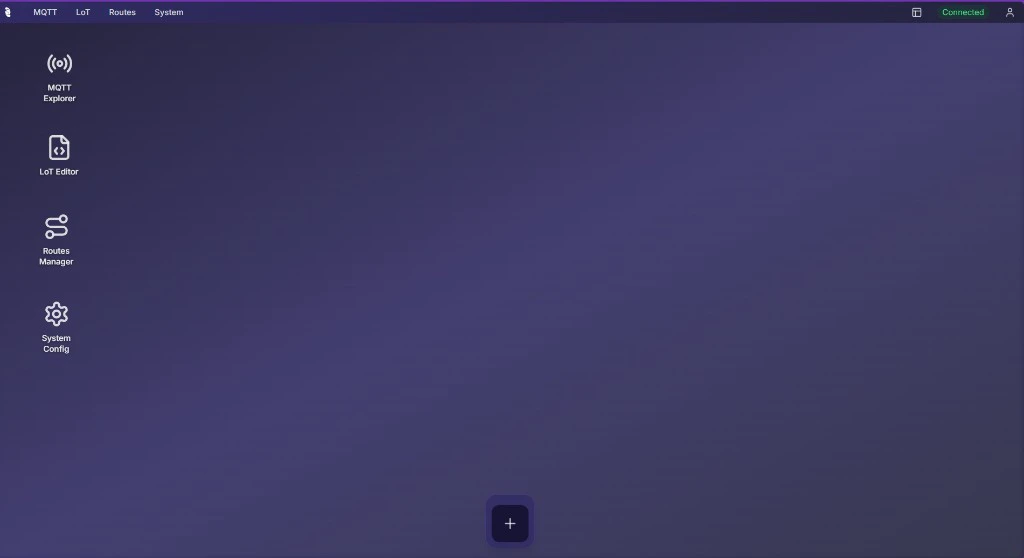
Coreflux HUB dashboard (alpha)
- HUB (alpha) — Web UI with MQTT Explorer, Log Viewer, Route Manager, LoT Editor, and system configuration
- Support for environment variables and secrets on LoT
- Protobuf support
- REST API route with OAuth and JWT support
- Default project on boot — Load a default project to a Coreflux broker when the broker starts