> ## Documentation Index
> Fetch the complete documentation index at: https://docs.coreflux.org/llms.txt
> Use this file to discover all available pages before exploring further.
# Release Notes
> Product releases for the Coreflux platform — LoT, HUB, VS Code extension, AI and others
Three new routes, a new LoT Flow viewer, and a wave of HUB improvements.
## Broker
* **Kafka route** — Connect Coreflux directly to Kafka as a producer or consumer, with support for security protocols and configurable batching and compression. See the [Kafka Route guide](/latest/lot-language/routes/data-pipeline/kafka).
* **OPC UA Server route** — Expose Coreflux data to OPC UA clients with a secure-by-default setup, including support for array and struct nodes. See the [OPC UA Server Route guide](/latest/lot-language/routes/industrial/opcua-server).
* **Modbus Server route** — Serve Modbus data over TCP, with experimental support for Serial (RTU) connections. See the [Modbus TCP Server Route guide](/latest/lot-language/routes/industrial/modbus-tcp-server).
* **OT route persistence** — Server routes (OPC UA Server, Modbus Server) persist their state and recover automatically after a restart, so data isn't lost on reconnect. See [OPC UA Server persistence](/latest/lot-language/routes/industrial/opcua-server#data-persistence--recovery) and [Modbus Server persistence](/latest/lot-language/routes/industrial/modbus-tcp-server#data-persistence--recovery).
* **OPC UA client certificate authentication** — Authenticate OPC UA client connections using PKI certificates for more secure deployments.
* **Modbus one-based addressing** — Set `WITH ONE_BASED_ADDRESSES true` on Modbus client and server routes so tag addresses match device manuals that label registers starting at 1. See [Modbus addressing](/latest/lot-language/routes/industrial/modbus-tcp-client#modbus-addressing) (client) and [Address notation](/latest/lot-language/routes/industrial/modbus-tcp-server#address-notation) (server).
* **Publish payload as bytes** — Forward or retain binary MQTT payloads bit-for-bit with `PAYLOAD AS BYTES` on `PUBLISH TOPIC` and `KEEP TOPIC`. See [ACTION Operations](/latest/lot-language/actions/operations#binary-passthrough--payload-as-bytes).
* **Bug fixes** — Fixed BACnet alarm retention, EtherNet/IP connection parameters and legacy-style compatibility, a Modbus TCP word-order issue, an OPC UA client connection issue, and a licensing load-order.
## HUB
* **LoT Flow viewer** — A new interactive view of your route flows, showing entity, topic, and Python nodes alongside live topic values, action traces, and route status.
* **UNS viewer** — Browse your Unified Namespace as a tree, with search, live payload previews, and a graph layout.
* **Data Viewer overhaul** — A refreshed explorer with a detailed topic view, timeline, faster topic indexing, and better subscription management.
* **In-app release notes** — A "What's New" dialog in the HUB so you can see what's changed without leaving the app.
* **Refreshed HUB styling** — Updated visual design and dock layout.
* **AI chat improvements** — A setup wizard, an artifact panel, and a generally expanded chat experience.
* **Expanded dashboard panels** — More display components, gauge options, and model-binding support for building richer dashboards.
* **Bug fixes** — Fixed the LoT compiler and dashboard rendering for `ON KEY PRESS`, `ON THRESHOLD BREACH`, conditional handlers, `WITH THEME`, numeric decimals and suffixes, threshold zones on gauges/charts, and callable actions. Fixed `INVOKE ACTION`, `BIND TO MODEL`, the accordion "Add Section," and tab titles in dashboards. Fixed real-time charts to show both traces with a legend and to correctly distinguish bar vs. line modes. Fixed select/dropdown interactions, topic-to-widget data binding (previously showing a single point instead of the full array), slider and toggle controls publishing incorrect values, icon visibility, multi-panel layouts, and events not being recognized on mount. Fixed the AI agent to properly detect uninstalled routes, and corrected its confirmation prompts. General mobile layout improvements.
## BACnet support for building automation
* **BACnet route** — Connect Coreflux to building automation systems (HVAC, lighting, metering) and bridge them to MQTT
* Read live values and write setpoints to BACnet controllers
* Get instant updates on change, without constant polling
* Receive alarms and event notifications directly in MQTT
See the [BACnet Route guide](/v2.1/lot-language/routes/industrial/bacnet) to get started.
## Fixes - OT tags and route stability
* **OT tag JSON publish** — Message payload now includes the `unit` field
* **Modbus and EthernetIP routes** — Stability improvements
## ON CHANGE trigger and bug fixes
* **`ON CHANGE` trigger for LoT actions** — Run actions only when the message payload on a topic is different from the last message on that same topic. Use it for high-frequency telemetry, historians, and forwarding when you do not need to process duplicate values; `ON TOPIC` still runs on every matching publish.
* **Bug fixes** — Stability and correctness improvements across the broker, LoT, and HUB
## AI agents, HUB and VS Code extension Beta releases
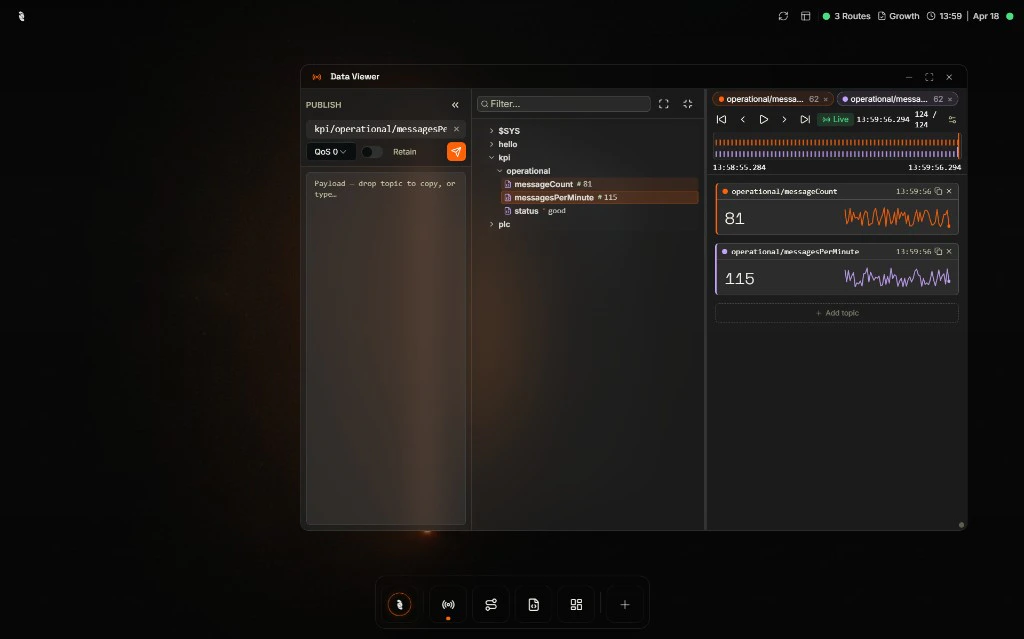 * **Improved HUB (beta)** — UI and UX improvements
* **HUB standalone installer** — Windows and Linux
* **AI Agent on HUB**
* **Insights mode** — Ask questions about running data, using project information as context
* **Agent mode** — Build LoT, routes, and dashboards with an AI copilot
* **AI Agent route** — Create custom agents usable within LoT for AI-driven steps and logic
* **Cloud and local LLMs** — Support for both on AI features
* **Improved HUB (beta)** — UI and UX improvements
* **HUB standalone installer** — Windows and Linux
* **AI Agent on HUB**
* **Insights mode** — Ask questions about running data, using project information as context
* **Agent mode** — Build LoT, routes, and dashboards with an AI copilot
* **AI Agent route** — Create custom agents usable within LoT for AI-driven steps and logic
* **Cloud and local LLMs** — Support for both on AI features
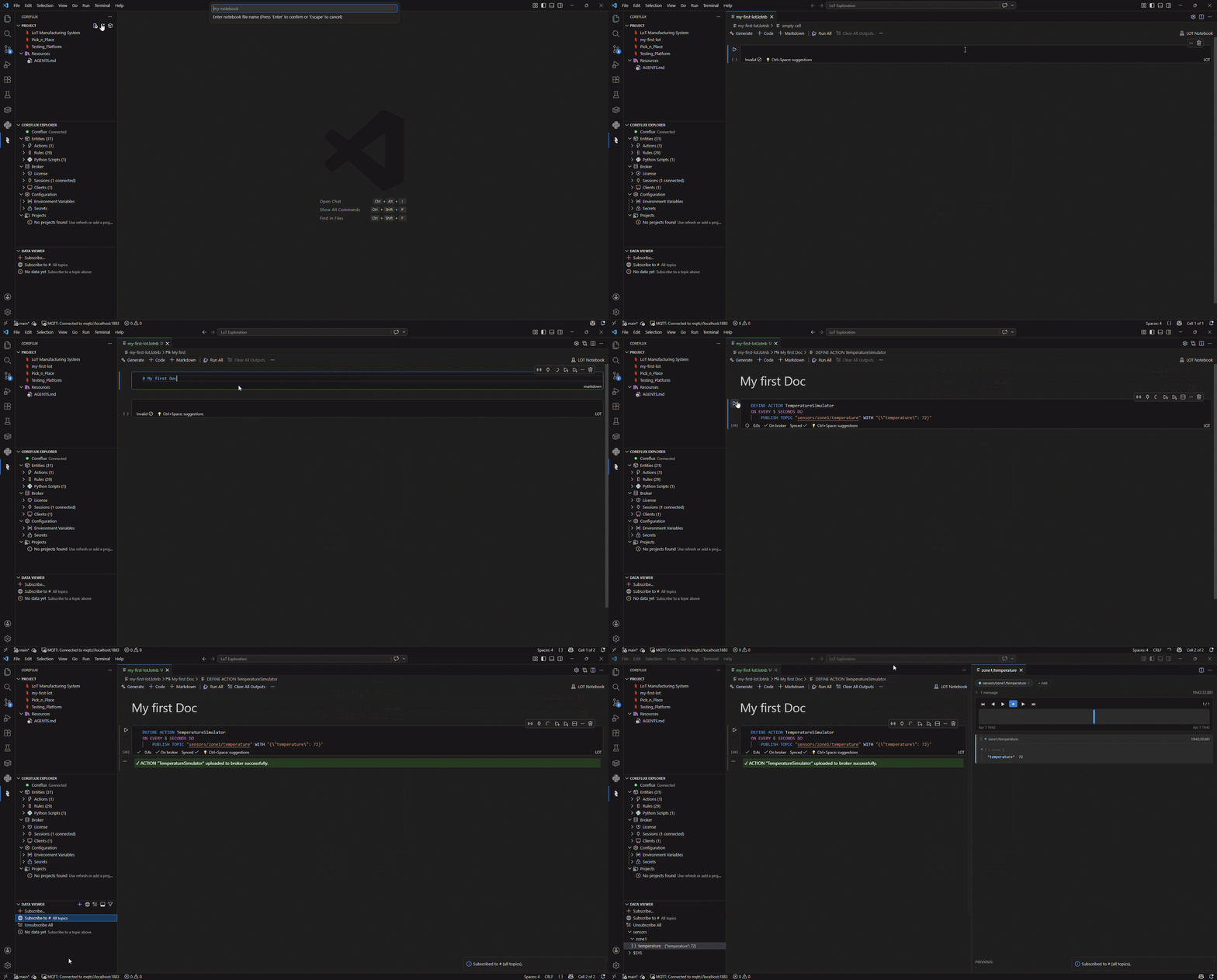 * **Improved VS Code extension (beta)**
* Improved UI and UX
* See license usage
* See live MQTT data (topic tree)
* **Data Viewer** — View and replay historical and live data for MQTT topics, with viewers for raw, JSON, PDF, GeoJSON (map), audio, and more
* **Execution trace** — View and replay historical and live data from LoT execution, including success and error states, published topics, and internal variables
* Manage secrets and environment variables
## HUB Alpha release, LoT, and broker updates
* **Improved VS Code extension (beta)**
* Improved UI and UX
* See license usage
* See live MQTT data (topic tree)
* **Data Viewer** — View and replay historical and live data for MQTT topics, with viewers for raw, JSON, PDF, GeoJSON (map), audio, and more
* **Execution trace** — View and replay historical and live data from LoT execution, including success and error states, published topics, and internal variables
* Manage secrets and environment variables
## HUB Alpha release, LoT, and broker updates
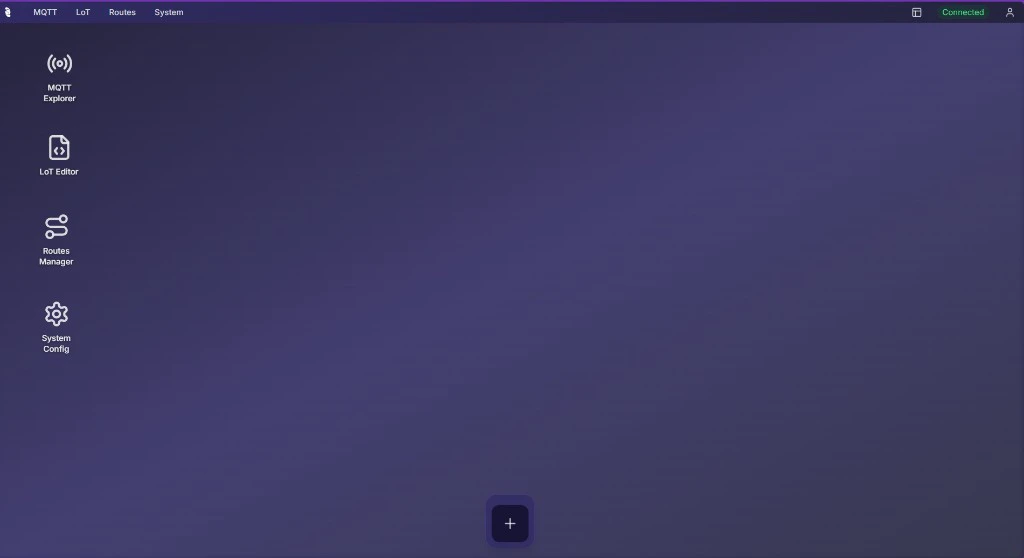 * **HUB (alpha)** — Web UI with MQTT Explorer, Log Viewer, Route Manager, LoT Editor, and system configuration
* Support for environment variables and secrets on LoT
* **Protobuf** support
* **REST API route** with OAuth and JWT support
* **Default project on boot** — Load a default project to a Coreflux broker when the broker starts
* **HUB (alpha)** — Web UI with MQTT Explorer, Log Viewer, Route Manager, LoT Editor, and system configuration
* Support for environment variables and secrets on LoT
* **Protobuf** support
* **REST API route** with OAuth and JWT support
* **Default project on boot** — Load a default project to a Coreflux broker when the broker starts